Guide
The hamper builder
Customers choose a wicker basket or a gift box, fill it with what you grow and make, watch each thing stand in it as it goes in, write the card, and add the whole hamper to the cart. It’s built from your own products: there’s nothing to install.
How customers use it
- Choose a basket or box, each showing how many things it holds. Or start from one of your ready-made hampers, or say about how much to spend and let it be filled for them.
- Fill it: tap + to put something in, filter by group (cheese, crackers, drinks), and see what goes well with what’s chosen. The space left and the total stay in view.
- Write the card: to, from and a message, or a line you suggest to start from, and a name for the hamper.
- Check it, share a link to it with someone, and add it to the cart.
In the cart, the hamper is one item: the basket or box with everything in it listed beneath. Removing the basket removes what’s in it, and two hampers alike stay two hampers. The order arrives in your admin the same way, with the card’s words (To, Card, From) and the hamper’s Name on the basket’s line, ready to write out. A hamper half-filled is kept in the customer’s browser, and they’re asked whether to continue it next time.
Setting it up
In the Furrow and Larder presets, the hamper builder is on the page with the handle hamper, which uses the hamper page template. On your store, make that page, then set up the section in the theme editor.
1. The baskets and boxes
Each basket or box is an ordinary product with its own price: the hamper’s price is the basket’s plus everything in it. Then, either:
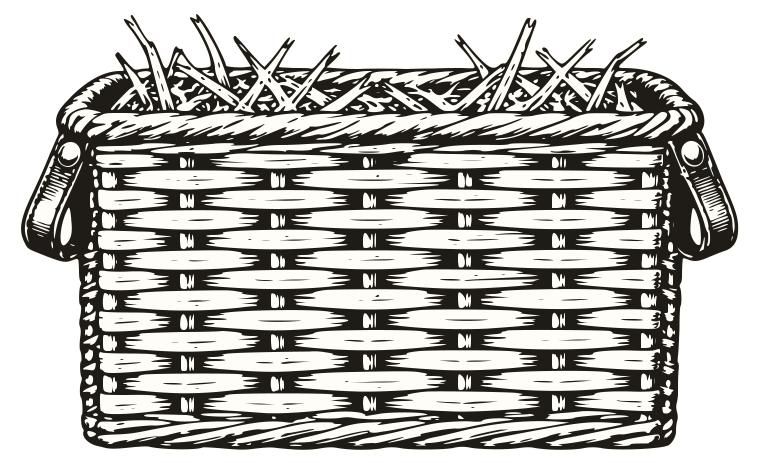
- add a Basket or box block for each, choosing the product, how many things it has Room for, and its drawing (a wicker hamper, a gift box, or the product’s own photograph); or
- choose a collection of them under Boxes and baskets, and they all get the Room in a basket with no block.
Until there are any, the theme editor says so where the builder should be; customers see nothing amiss.
2. What can go in
Choose a collection under What can go in: everything in it can go in a hamper, in the collection’s order, up to 250 products. Left empty, every product in the store can. Gift cards are always left out.
- Things that need more room, like a bottle of cider or a whole cheese, go in the Take two spaces or Take three spaces lists. Everything else takes one.
- Collection only products make the hamper collection only, and the hamper and cart say so. Kept cold products add your note about chilled packaging.
- Fewest things in a hamper and Most of one thing keep hampers sensible.
3. Groups
Add a Group block for each kind of thing: a heading (Cheese), the Product types it holds (Cheese, or Chutney, Pickles), and its part in a hamper. Customers can show one group at a time, and “Fill one for me” uses the parts to fill a hamper sensibly: cheese first, then something to eat it on, something to go with it, and a drink where there’s room.
4. Drawings
Each thing is drawn standing in the basket, by its product type, from Theme settings > Drawings. To draw a type differently here alone, add a Drawing for a product type block. A product with no drawing shows its own photograph; one on a transparent background looks best in the basket.
5. Ready-made hampers and budgets
- A Starting hamper block is a hamper you’ve put together (a basket and what goes in it) for customers to start from and change.
- Budgets to fill one for them are the amounts customers can choose, separated by commas, like
35, 50, 75, 100, in your store’s currency. Leave it empty to hide “Or let us fill it”. - Starting lines for the card are messages to tap and start from, one a line.
Ways into the builder
- The Fill a hamper section shows a drawn hamper filled with products you choose, and a button that opens the builder with your basket.
- The product page’s Hamper builder link block, “Put it in a gift basket”, opens the builder with that product already in. Choose a collection in the block to show it only on products that can go in.
- The season’s doors and Ways to give can point at the hamper page too.
Good to know
- Each hamper in an order goes to the same address. The section’s About addresses note says so to customers; edit it to say what you do for hampers to several people.
- While the season whose drawing is holly is on, a sprig of holly joins the basket.
- Your stock counts as usual: a thing that’s sold out shows “Back soon” and can’t go in.
Every setting
The section’s settings and its four kinds of block are in the reference.